
Download Mullvad VPN – Secure, Privacy‑First VPN for Windows, macOS, Android & iOS
Overview
Mullvad VPN positions itself as a privacy‑first solution that puts anonymity at the core of its design. Unlike many commercial VPNs that require personal data for account creation, Mullvad lets you start with a simple randomly generated account number – no email, no name, no phone number. Once you launch the application, all internet traffic is routed through an encrypted tunnel to one of Mullvad’s servers, making your real IP address invisible to websites, advertisers, and even your Internet Service Provider (ISP).
The tunnel is built on modern WireGuard or OpenVPN protocols, offering both speed and robust cryptography. By pairing Mullvad VPN with the Mullvad Browser, you gain an additional layer of protection that blocks third‑party cookies, fingerprinting scripts, and other tracking technologies. In short, Mullvad creates a digital fortress where your data stays private, your location stays hidden, and your online activities are shielded from prying eyes.
This overview will walk you through the standout features, installation steps, system compatibility, and the pros and cons that matter most when you’re deciding whether to download this secure tool.
Key Features that Make Mullvad a Privacy Powerhouse
- Zero‑knowledge account creation – generate an anonymous account number without providing personal details.
- WireGuard and OpenVPN support – choose the fastest, most secure protocol for your connection.
- Automatic WireGuard key rotation – keys are refreshed regularly to minimize the risk of key compromise.
- Multihop (double VPN) – route traffic through two separate Mullvad servers for extra anonymity.
- Split tunneling – decide which apps or destinations use the VPN tunnel and which bypass it.
- Shadowsocks proxy – bypass restrictive firewalls and access content in censored regions.
- Anti‑censorship & traffic obfuscation – disguise VPN traffic as regular HTTPS to evade deep‑packet inspection.
- Port probing protection – prevents malicious actors from discovering open ports on your device.
- Integrated firewall with atomic operations – ensures no data leaks even if the VPN disconnects abruptly.
- Cryptographically signed installer – guarantees the software you download is authentic and untampered.
- No‑logging policy – Mullvad never stores connection timestamps, IP addresses, or traffic metadata.
- Pay‑as‑you‑go pricing – simple flat‑rate billing without long‑term contracts.
Installation & Usage Guide – Get Up and Running in Minutes
Installing Mullvad VPN is intentionally straightforward. Whether you’re on Windows, macOS, Linux, Android, or iOS, the process follows a similar pattern: download, verify, install, and connect. Below is a step‑by‑step walkthrough that covers the most common platforms.
Step‑by‑step installation
- Download the installer from the official Mullvad website. Choose the version that matches your operating system – a .exe for Windows, .dmg for macOS, .deb/.rpm for Linux, or the app store link for mobile devices.
- Verify the signature using the provided SHA‑256 hash or GPG signature. This step ensures the file is genuine and hasn’t been altered by a third party.
- Run the installer. On Windows and macOS, follow the on‑screen prompts; on Linux, use your package manager (e.g.,
sudo apt install ./mullvad‑vpn.deb). - Create an anonymous account. Launch the app, click “Create Account,” and Mullvad will generate a unique 8‑digit account number. Write it down or store it securely – it’s the only credential you’ll need.
- Choose a protocol. The app defaults to WireGuard for optimal speed, but you can switch to OpenVPN in the settings if required by a specific network.
- Select a server location. Use the map or list view to pick a country; Mullvad currently offers servers in 38 locations worldwide.
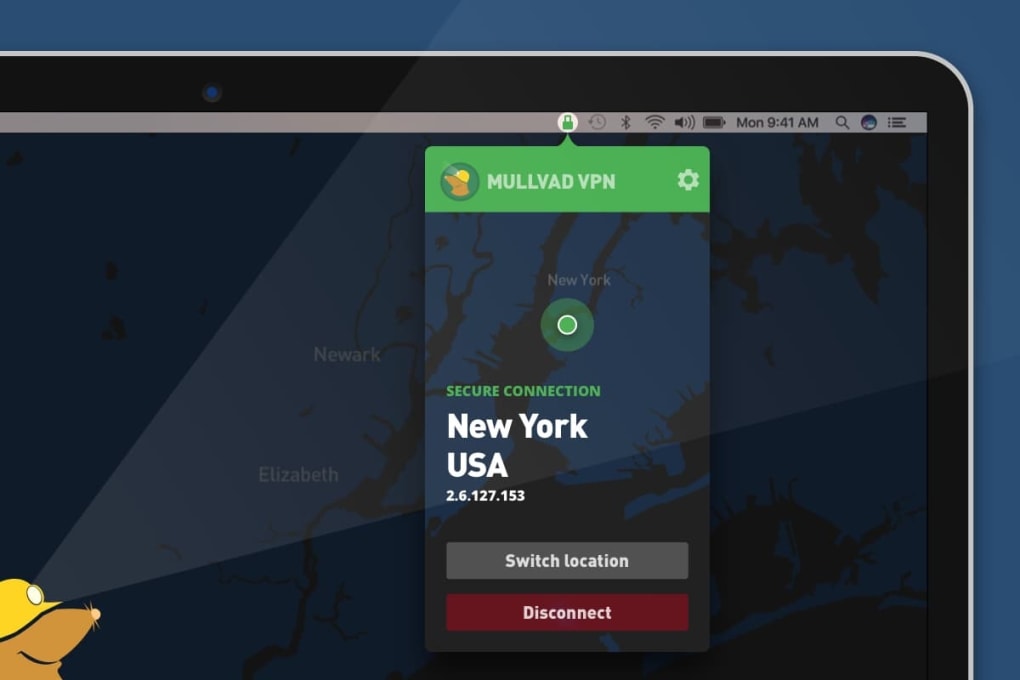
- Connect. Click “Connect” and watch the status indicator turn green. Your IP address is now masked, and your traffic is encrypted.
Configuring advanced options
After the initial connection, you may want to tailor Mullvad to your specific workflow. The split tunneling feature lets you route only selected apps (like a torrent client or gaming platform) through the VPN while keeping other traffic direct, preserving speed for bandwidth‑intensive tasks. To enable it, navigate to Settings → Split Tunneling, add the desired applications, and save.
For users needing extra anonymity, enable multihop in the same menu; this routes your traffic through two distinct Mullvad servers, adding an additional layer of IP masking. If you encounter a network that blocks VPN protocols, turn on obfuscation under Advanced Settings – Mullvad disguises the traffic as regular HTTPS, helping you slip past restrictive firewalls. Finally, the integrated Shadowsocks proxy can be activated for environments where only SOCKS5 proxies are allowed, such as certain corporate or educational networks.
Compatibility, Pros & Cons – What to Expect on Your Device
Mullvad VPN is built for cross‑platform compatibility. Official client apps are available for:
- Windows 10 and 11 (64‑bit)
- macOS 10.15 (Catalina) and later
- Linux distributions (Debian, Ubuntu, Fedora, Arch, etc.)
- Android 6.0 (Marshmallow) and newer
- iOS 12 and newer (iPhone & iPad)
The Linux version also offers a command‑line interface for advanced users who prefer terminal control. All platforms share the same feature set, though the UI may look slightly different on mobile versus desktop.
Pros
- True anonymity – no email, no personal data required for account creation.
- Strong encryption – WireGuard and OpenVPN with automatic key rotation.
- No‑logging policy – audited and verified by independent security firms.
- Advanced privacy tools – multihop, split tunneling, Shadowsocks, and traffic obfuscation.
- Flat‑rate pricing – €5 per month, €50 per year, or €60 for a two‑year plan, with no hidden fees.
- Open‑source client – code is publicly auditable on GitHub.
- Cross‑platform support – seamless experience across Windows, macOS, Linux, Android, and iOS.
Cons
- Limited server network – only 38 countries, which may affect latency for users in under‑served regions.
- Desktop UI can feel austere – the interface prioritizes simplicity over visual polish, which some users find bland.
- Pay‑as‑you‑go model – while flexible, newcomers may be confused by the lack of a free trial or discounted short‑term plans.
- No built‑in ad blocker – unlike some competitors, Mullvad does not include a native ad‑blocking feature.
- Streaming compatibility – Mullvad’s servers are not optimized for unlocking geo‑restricted streaming services, so users may experience occasional blocks on platforms like Netflix or Hulu.
Frequently Asked Questions
Is Mullvad VPN really free of logs?
Yes. Mullvad operates a strict no‑logging policy that has been independently audited. The company does not store connection timestamps, IP addresses, or any traffic metadata that could be linked back to an individual user.
Can I use Mullvad on a router?
Absolutely. Mullvad provides configuration files for OpenVPN and WireGuard that can be imported into most VPN‑compatible routers, allowing every device on your network to benefit from the encrypted tunnel.
How does the pay‑as‑you‑go pricing work?
Mullvad charges a flat rate of €5 per month. You can also pre‑pay for a year (€50) or two years (€60). Payments can be made via credit card, PayPal, Bitcoin, or cash by mail – all without linking the transaction to your personal identity.
Does Mullvad work with Netflix, Hulu, or other streaming services?
Mullvad’s primary focus is privacy, not streaming. While you can sometimes access streaming libraries, the service is not optimized for bypassing geo‑restrictions, and you may encounter occasional blocks.
What is the difference between WireGuard and OpenVPN in Mullvad?
WireGuard is a newer protocol that offers faster speeds and more streamlined code, making it ideal for most users. OpenVPN is older but widely supported; you might choose it if you need compatibility with legacy systems or specific network restrictions.
Conclusion – Secure Your Online Life with Mullvad VPN Today
Mullvad VPN delivers a compelling blend of uncompromising privacy, strong encryption, and a user‑focused pay‑as‑you‑go model. Its zero‑knowledge account creation removes the biggest hurdle to anonymity, while features such as automatic key rotation, multihop, and traffic obfuscation keep you ahead of both casual trackers and determined adversaries. The client’s interface is intentionally minimalistic, which some may find austere, but this design choice reinforces the service’s core mission: to provide a reliable, secure tunnel without unnecessary fluff. Although the server network is smaller than that of mass‑market rivals and streaming support is limited, the trade‑off is a lean, privacy‑centric platform that respects your data as much as you do. If you value true anonymity, want a VPN that can be audited, and are comfortable with a straightforward pricing plan, Mullvad is a top-tier choice.
Ready to protect your digital footprint? Download Mullvad VPN now, generate your anonymous account number, and enjoy a secure, leak‑free internet experience across all your devices. Take control of your online privacy today – because the best security starts with a single click.







